
Route4Me Route Planner
Route4Me, IncMaps & Navigation
4.42.95K Reviews
- Version
- 5.6.1
- Installs
- 1.00M
- Age Rating
- Everyone
Screenshots
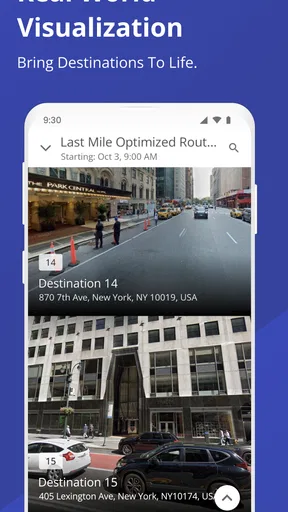
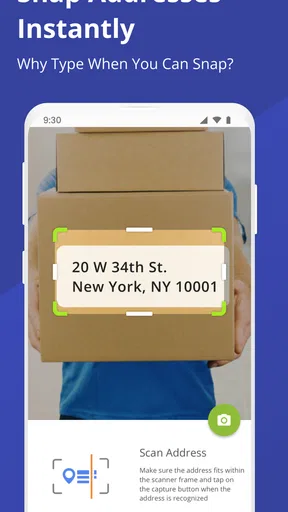
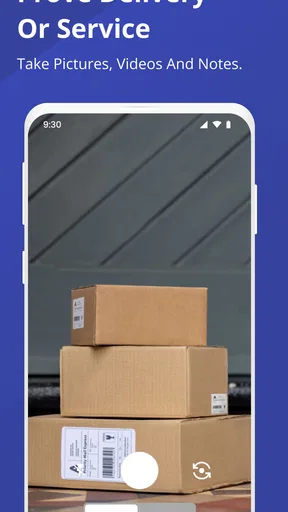
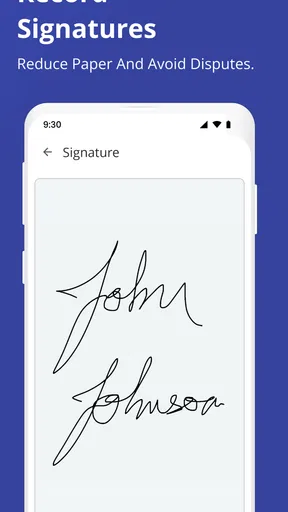
Our Review of Route4Me Route Planner
 Analysis by Appyee
Planning a day with several stops is a different job from finding the quickest way across town. The useful question is not only where to turn, but how to arrange a whole list of destinations without losing time to backtracking. That is the problem Route4Me Route Planner is built to address. I see its appeal most clearly for people who repeat multi-stop journeys for work, though it can also help anyone who needs to organize a busy day on the road.
A route planner for more than one destination
Route4Me is a free navigation app from Route4Me, Inc, in the Maps & Navigation category. It has been available since June 20, 2012, and its current version is 5.1.1, with Android 9 as the minimum operating system requirement. The app is rated for Everyone. It has a 4.4 average from around 15,000 ratings, and more than 500,000 installs. Those figures suggest a well-established tool, but they do not tell you whether its route-planning approach suits your particular day; the number and shape of your stops matter more.
That distinction is important. A conventional map app is usually the natural choice when I know one destination and want directions there. Route4Me is more interesting when I already have a set of addresses and need a sensible order for visiting them. Its core promise is not that every trip becomes effortless, but that planning a multi-stop route can take less manual rearranging.
Where the free access fits
The app is free to install, which makes it possible to try its basic experience without paying upfront. It also offers in-app purchases, with listed items ranging from $1.00 to $319.99. That wide range is a reason to check the actual purchase details in the app before relying on a paid option; it is not enough to assume that every useful business feature is included at no cost or that one purchase covers every need.
I would treat the free access as a low-commitment way to see whether Route4Me fits your workflow, rather than assume it is a complete, unlimited business package. The practical test is simple: enter a representative set of stops, see how easily you can build and follow the route, and check which tools you would actually need before considering a purchase. Someone planning an occasional weekend errand run may have little reason to pay, while a regular route user should judge paid value against time saved and the demands of their work.
How Route4Me Works in Everyday Use
I find Route4Me most useful when the challenge is deciding how to handle a list of stops, not simply finding directions to one place. In this section, I’d focus on the small planning checks that make a route more dependable: confirming addresses, considering fixed appointments, and treating the suggested order as a draft when the day changes. That practical distinction leads naturally to where a simpler map app may be the better fit.
Putting a multi-stop day in order
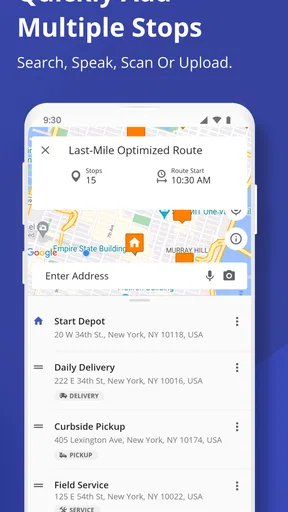
For a delivery driver, a small business owner making visits, or a field worker travelling between appointments, the route-ordering task can be more tedious than any single drive. Instead of choosing each next stop by instinct, I would use Route4Me to start with the complete destination list and let its route-planning tools help organize the sequence. That can make a packed day easier to think through before setting off, especially when the stops are spread across several neighbourhoods.
A realistic example is a service worker who has a morning appointment, several customer visits, and a final stop across town. With an ordinary navigation app, the worker may have to decide the order themselves and repeatedly enter the next address. A multi-stop planner gives them a place to work through that list as one route. I would still review the result: a mathematically tidy sequence may not reflect a promised appointment time, a preferred break, or a stop that must happen before another.
Good habits that make the plan more useful
One practical tip is to prepare the addresses before trying to optimize a complicated day. Clean, complete entries reduce the chance that a typing mistake sends the route toward the wrong place. If you are importing addresses from a calendar, check the imported list before starting navigation; a calendar entry can be useful as a source, but it is not a substitute for confirming that each destination and its timing are correct.
For a changing workday, I would also think of the route as a starting plan rather than a promise that the whole schedule will remain fixed. A cancellation, an urgent request, or a long visit can change what makes sense next. Reconsidering the remaining stops after a change is more reliable than blindly following an earlier sequence. This is a small workflow choice, but it helps prevent route optimization from being mistaken for schedule management.
When a simpler map app is better
For one familiar commute or a single trip to an unfamiliar address, I would usually reach for a standard navigation app first. It is a quicker fit when there is no list to organize and I only need directions. Route4Me makes more sense when the planning itself is the work: several destinations, an order to decide, or a repeated route that would otherwise require manual sorting.
There is a trade-off in that extra planning focus. A route planner asks you to gather and check multiple destinations before the drive, so it can feel like needless setup for a spontaneous outing. It also cannot decide which customer matters most, whether a visit will run late, or whether a stop has a time constraint unless those details are handled in your own workflow. I would not use route order alone as a substitute for judgement about the day.
Useful for regular work, less compelling for occasional errands
Route4Me is strongest for people who repeatedly travel to multiple locations: delivery and service workers, sales representatives, and small teams that need to think beyond a single destination. The value rises when manually arranging stops is a regular chore. If you make only a few local stops now and then, the time spent learning a dedicated planner may outweigh the convenience, and a familiar map app with manually entered destinations may be enough.
It is also worth separating an individual driver’s needs from a manager’s. A person planning their own visits mainly needs a route they can understand and follow. Someone coordinating several drivers may care more about managing routes and reviewing work. Route4Me is positioned to serve business use, but before depending on it for a team, I would verify that the specific capabilities and purchase terms available in the app match the way that team operates.
Everyday usability and attention on the road
Any navigation tool is only helpful if it does not tempt you to manage the screen while driving. I would build or check the route while parked, then rely on voice guidance where appropriate and keep attention on the road. If a destination changes mid-trip, stopping safely before editing the plan is a better habit than trying to correct it in moving traffic.
Route4Me’s value is partly about reducing repeated address entry, but that benefit depends on keeping the route list accurate. For a regular run, taking a moment to compare the planned stops with the day’s actual jobs can prevent an avoidable detour. This is especially useful when appointments move or when a list was assembled from more than one source.
What to check before relying on it
Before using any route planner for a time-sensitive workday, I would test it with a small route that resembles the real one. Check that the destinations are recognized correctly, that the order makes sense for your commitments, and that navigation is comfortable on your phone. If you expect to use calendar imports, mileage tracking, reports, or team workflows, try the relevant task directly rather than assuming that a headline feature covers every detail you need.
That trial run also gives you a fair way to judge whether a paid option would earn its place. The listed in-app purchase range is broad, so I would inspect the exact item and terms shown before making a decision. The value is personal: saving a little planning effort once is not the same as removing a recurring burden from a working week.
How it compares with familiar alternatives
Against a general-purpose map, Route4Me’s clearest distinction is its focus on organizing multiple stops, not simply guiding a driver between two points. General maps are often more convenient for spontaneous directions and familiar daily navigation. A dedicated route planner is more suitable when a list needs to become a practical sequence. Neither approach wins in every situation: the best choice depends on whether you need directions now or help planning the order of a larger set of visits.
For a road trip, for example, the desired order may be shaped by scenery, meal breaks, opening hours, or personal preference rather than by the most efficient route. I would use a multi-stop planner to help structure the driving, then make the human decisions that turn the itinerary into a good trip. For a work route where wasted distance matters more, optimization can be more central to the task.
Features that Stand Out
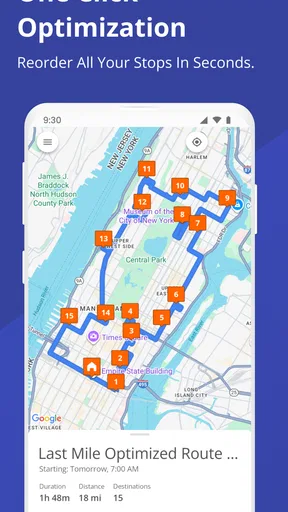
Now, onto the good stuff: the features. What makes Route4Me a standout is its ability to optimize routes with just a few taps. You can input multiple stops, and the app will calculate the most efficient route to save you time and gas. It even factors in real-time traffic updates, which is super handy if you're trying to avoid those notorious rush hour jams.
Another cool feature is its integration capabilities. Route4Me can sync with your calendar, allowing you to import addresses directly into the app. No more copying and pasting or manually typing everything out. It’s those little time-savers that make a big difference, right?
Perfect for Professionals
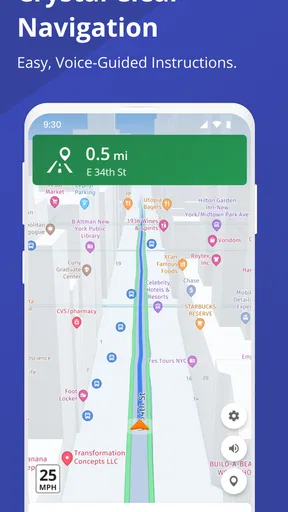
For those of you who use routing apps for business, you’re going to love the advanced options available. You can create multiple routes, track your mileage, and even generate reports. This is a lifesaver for anyone managing a fleet of vehicles or a team of drivers. Plus, the app supports voice navigation, so you can keep your eyes on the road while getting turn-by-turn directions.
User Experience and Design
One thing I really appreciate about Route4Me is the user experience. The design is sleek, and everything is laid out in a way that makes sense. You won’t find yourself getting lost in a sea of menus trying to find that one feature you need. The developers clearly put a lot of thought into making this app as user-friendly as possible.
And let’s be honest, the less time you spend fiddling with your phone, the better. With Route4Me, it feels like everything is just a tap away.
Is It Worth It?
Alright, let’s talk about the elephant in the room: pricing. While Route4Me offers a free version, you’ll want to consider the premium features if you’re serious about optimizing your routes. The subscription isn’t cheap, but for the time and money you’ll save on fuel, it’s worth every penny. Plus, there’s a free trial, so you can take it for a spin before committing.
So, is it worth it? In my opinion, absolutely. If you’re in the business of moving from point A to B and beyond, Route4Me is a solid investment.
Final Thoughts
In a world where time is money, having a reliable route planner is essential. The Route4Me Route Planner not only gets you to your destination efficiently but also makes the journey stress-free. Whether you’re navigating bustling city streets or winding country roads, this app is a trusty sidekick that won’t let you down.
So, next time you find yourself with a list of places to be, give Route4Me a try. You might just wonder how you ever managed without it!
Verdict
Strengths of Route4Me Route Planner
- Optimizes routes efficiently.
- User-friendly interface design.
- Supports multiple stops per route.
- Real-time tracking available.
- Integrates with GPS apps.
Limitations of Route4Me Route Planner
- Requires subscription for full features.
- Occasional app crashes reported.
- Limited offline functionality.
- Customer support can be slow.
- Complex setup for new users.
Similar Picks in This Category
View All
Uber - Request a ride
Uber Technologies, Inc.4.7


inDrive. Rides with fair fares
® SUOL INNOVATIONS LTD4.8

Yandex Go: Taxi Food Delivery
Mikromobilnost LLC Belgrade4.8

Bolt: Request a Ride
Bolt Technology4.8

Rapido: Bike-Taxi, Auto & Cabs
Rapido Bike Taxi4.8
Frequently Asked Questions
What is the primary function of Route4Me Route Planner?
Route4Me Route Planner is designed to optimize and streamline route planning for delivery drivers, sales representatives, or anyone needing to visit multiple locations efficiently. It calculates the most efficient route by considering traffic conditions, distance, and time, saving users time and fuel costs.
Is Route4Me Route Planner available for both Android and iOS devices?
Yes, Route4Me Route Planner is available for both Android and iOS platforms. Users can download the app from the Google Play Store or the Apple App Store, ensuring accessibility for a wide range of mobile devices.
How does Route4Me Route Planner handle real-time traffic updates?
Route4Me integrates real-time traffic updates into its route calculations. This means it can adjust the planned route dynamically to avoid traffic jams or road closures, ensuring that users get to their destinations as efficiently as possible, even when conditions change unexpectedly.
Can I use Route4Me Route Planner for personal errands or is it only for business use?
While Route4Me is highly beneficial for business purposes, such as delivery and logistics, it is also suitable for personal use. Whether planning a road trip or managing daily errands, the app can help organize and optimize routes, saving time and effort.
Does Route4Me Route Planner offer any integration with other apps or devices?
Route4Me supports integration with various third-party applications and devices. It can sync with calendar apps, GPS devices, and other business tools, enhancing functionality and ensuring seamless coordination with existing workflows and technologies.
